

Albums
More options
 Discuss with Marie
Adding Photos to an Album
Add one or more photos from the gallery to an album.
You can add photos to an album from the gallery, search results, or the photo detail view.
Select Photos
In the gallery check the photos you want to add and click Actions. From the menu, choose Add to Album.
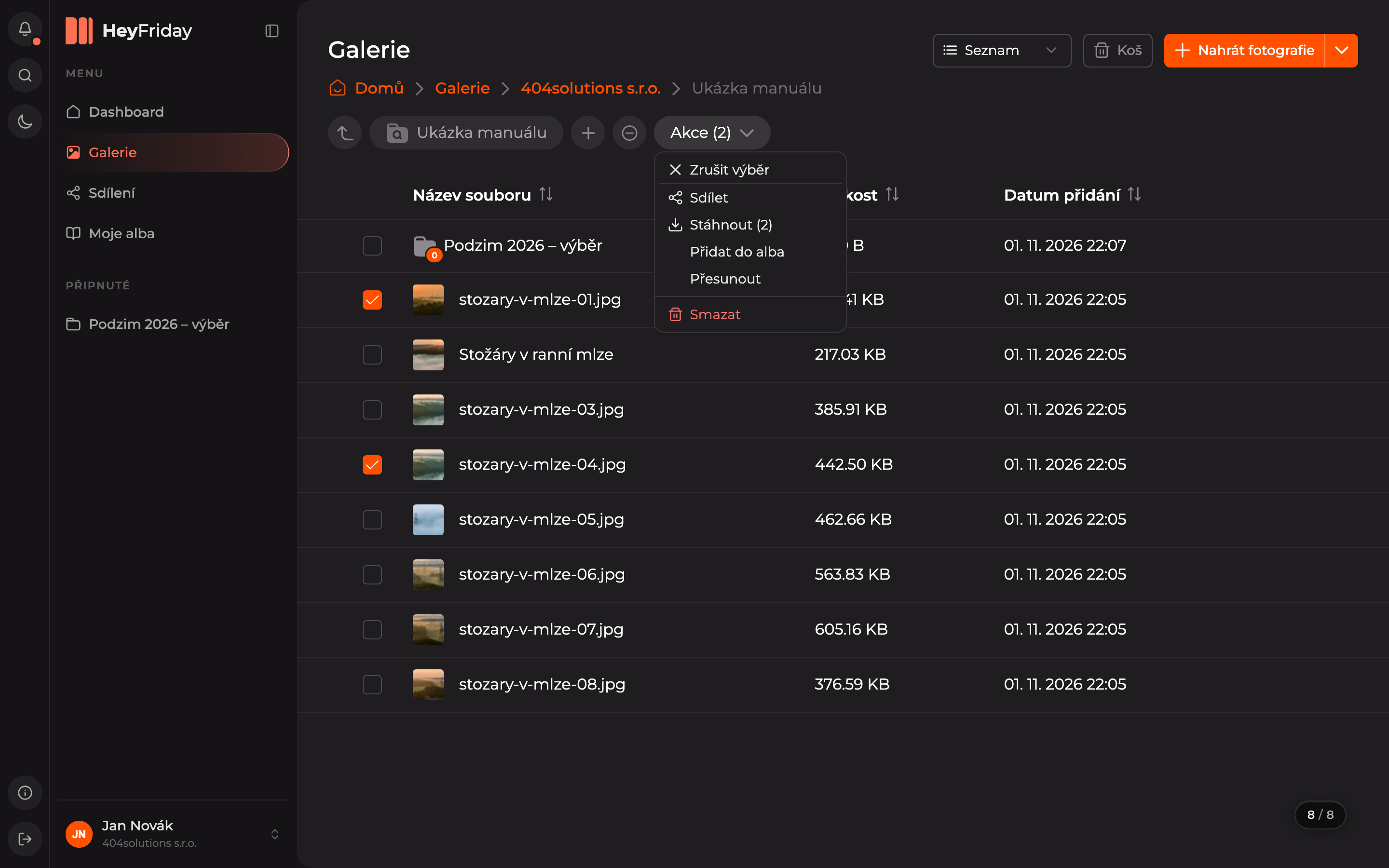
You can also add a single photo from its action menu (three dots) or by using the Albums button in the photo detail.
Select Album
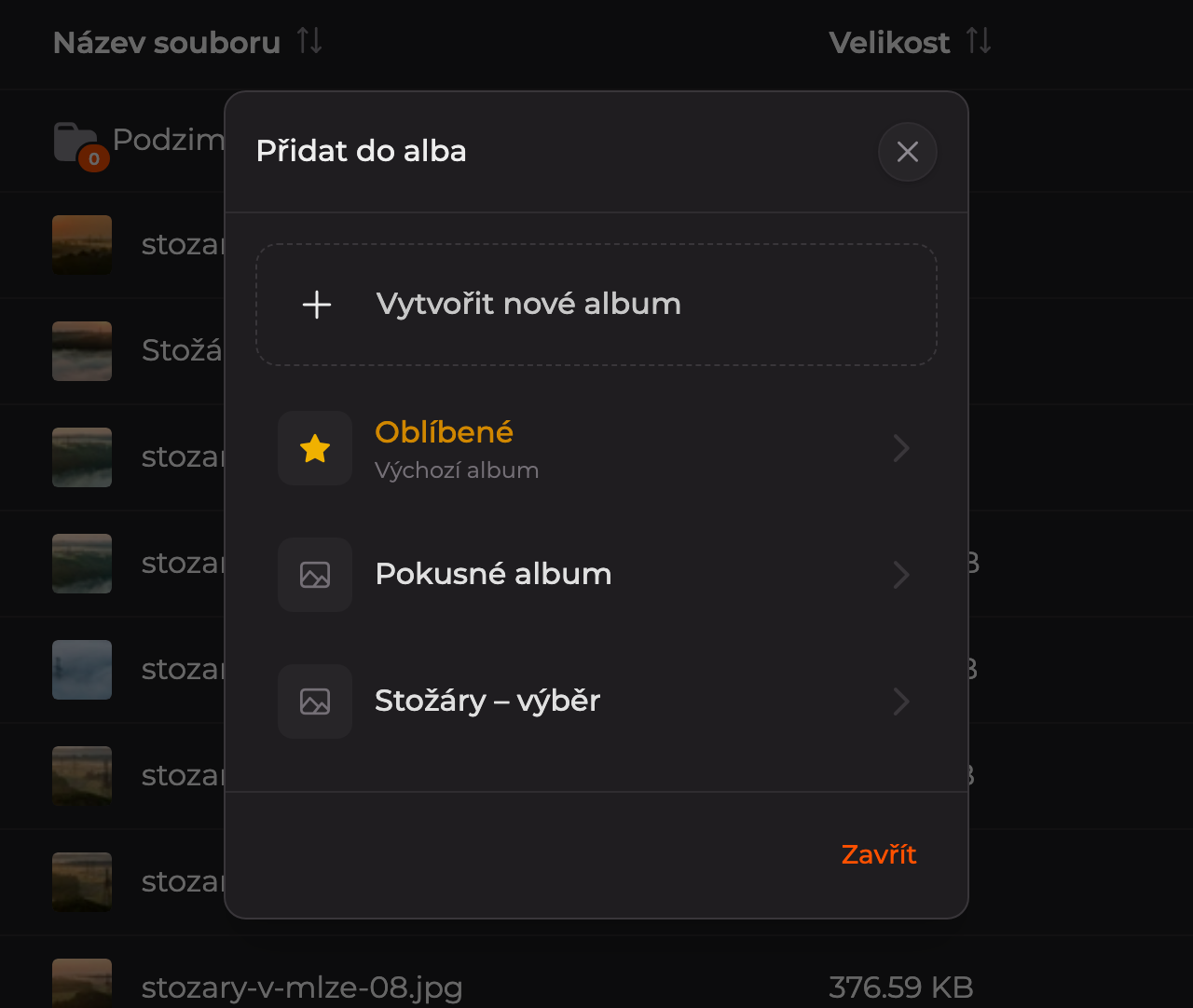
In the Add to Album dialog, click the album where the photos belong.
The photos are now in the album. Open the album in My Albums by clicking its name.
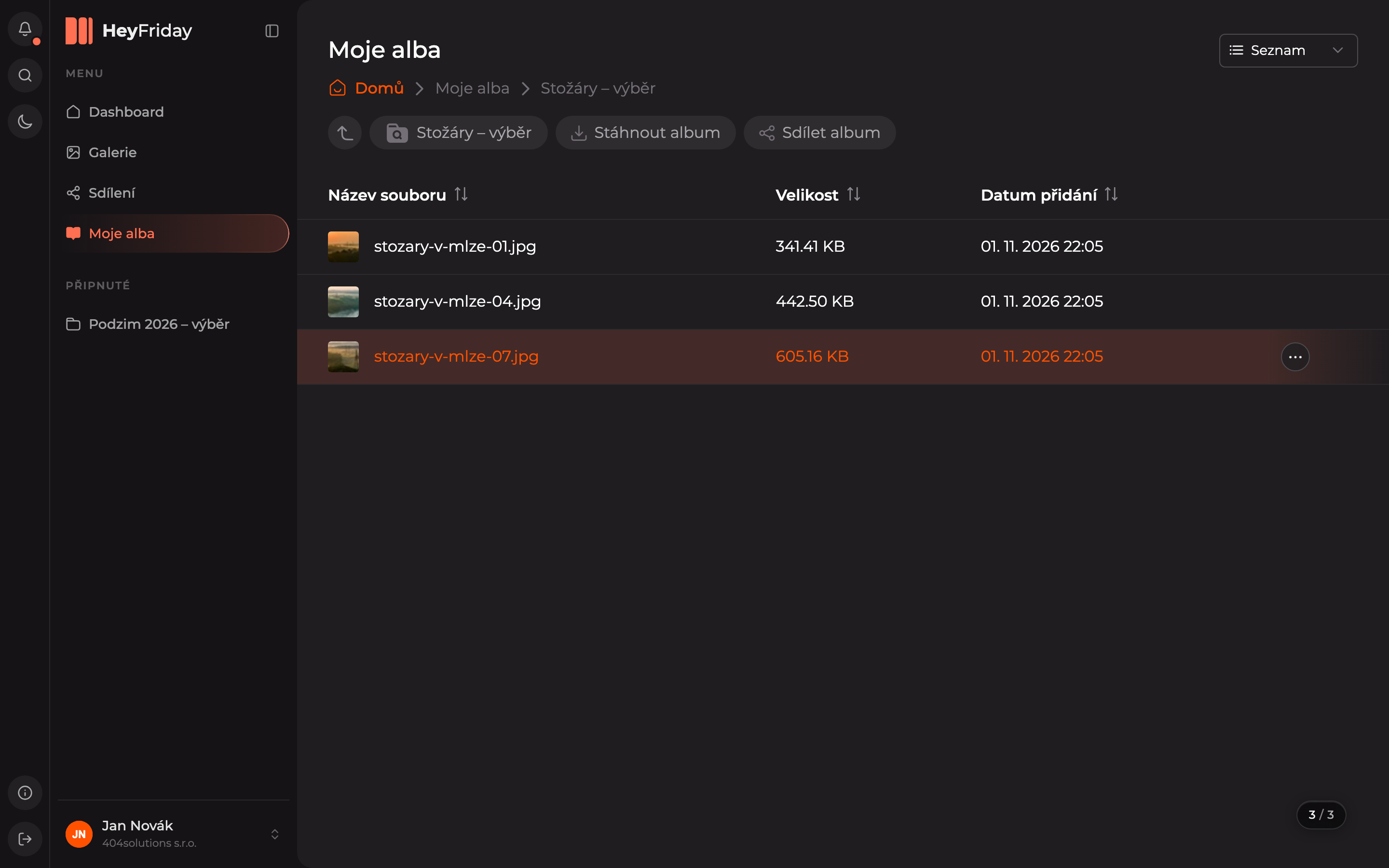
In the opened album, you will find the buttons Download Album (downloads the entire album as a ZIP) and Share Album, see Sharing.
Updated