

Additional Features
More options
 Discuss with Marie
Application Appearance
Switch between light and dark themes and customize the look of the menu and effects.
You can quickly toggle between light and dark themes using the moon (or sun) icon in the bar at the left edge. More options are available on the My Account page under the Appearance section — open it via your name at the bottom of the sidebar and then My Profile.
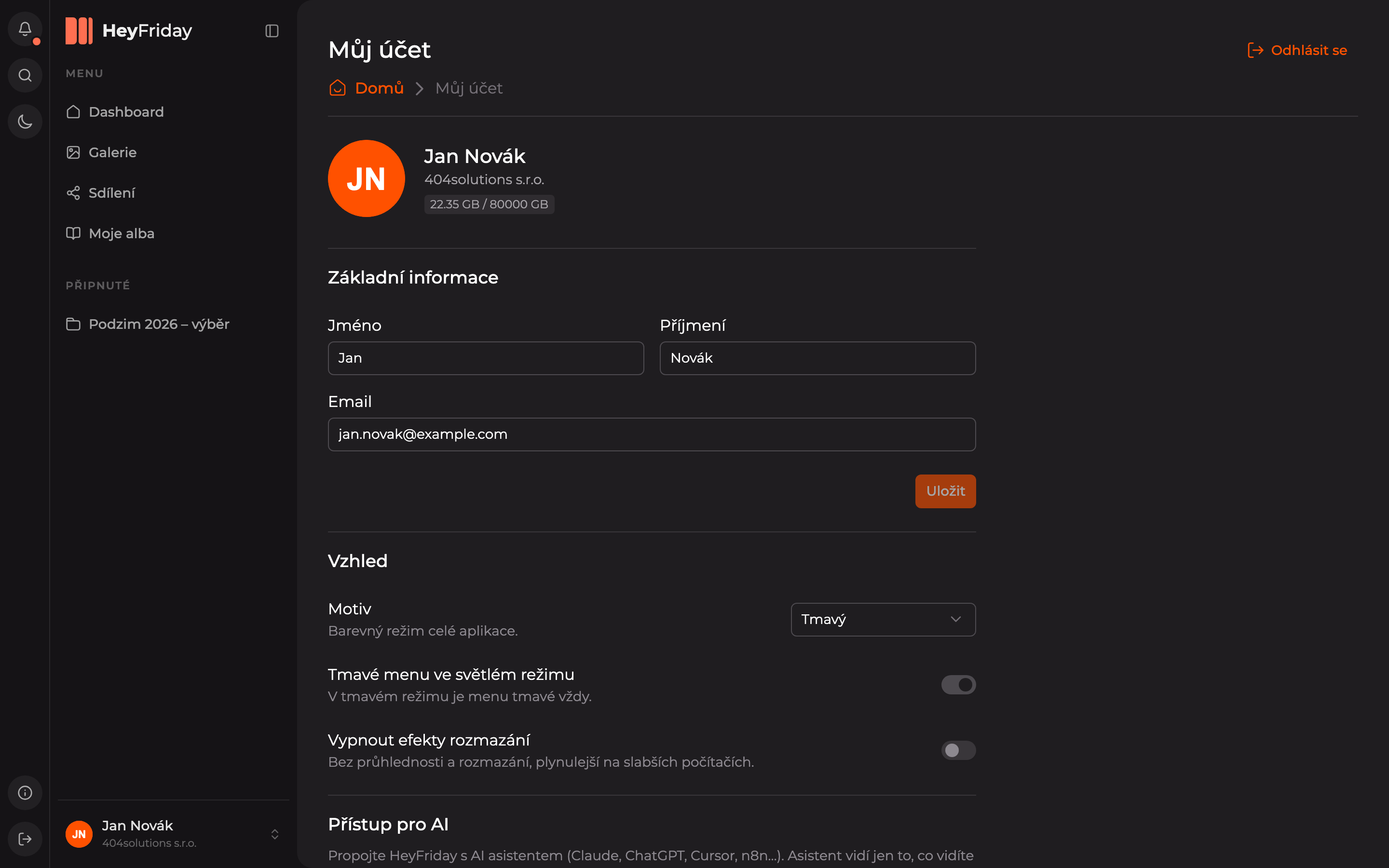
- Theme — Light, Dark, or System Default (follows your computer’s settings).
- Dark menu in light mode — the sidebar menu stays dark even in light theme. In dark theme, the menu is always dark.
- Disable blur effects — turns off transparency and blur. The app then runs more smoothly on weaker computers.
Changes take effect immediately.
Updated