

Photo Details
More options
 Discuss with Marie
Editing the Title, Description, and Tags
Rewrite the photo's title and description, and edit the tags that others use to find it.
The description and tags are prepared by AI after uploading. You can edit them anytime — a good title, description, and tags help with searching.
Open the Photo Detail
Click on the photo in the gallery. The photo detail will open.
Edit the Title and Description
Click into the Photo Title or Photo Description field and rewrite the text. The change saves automatically.
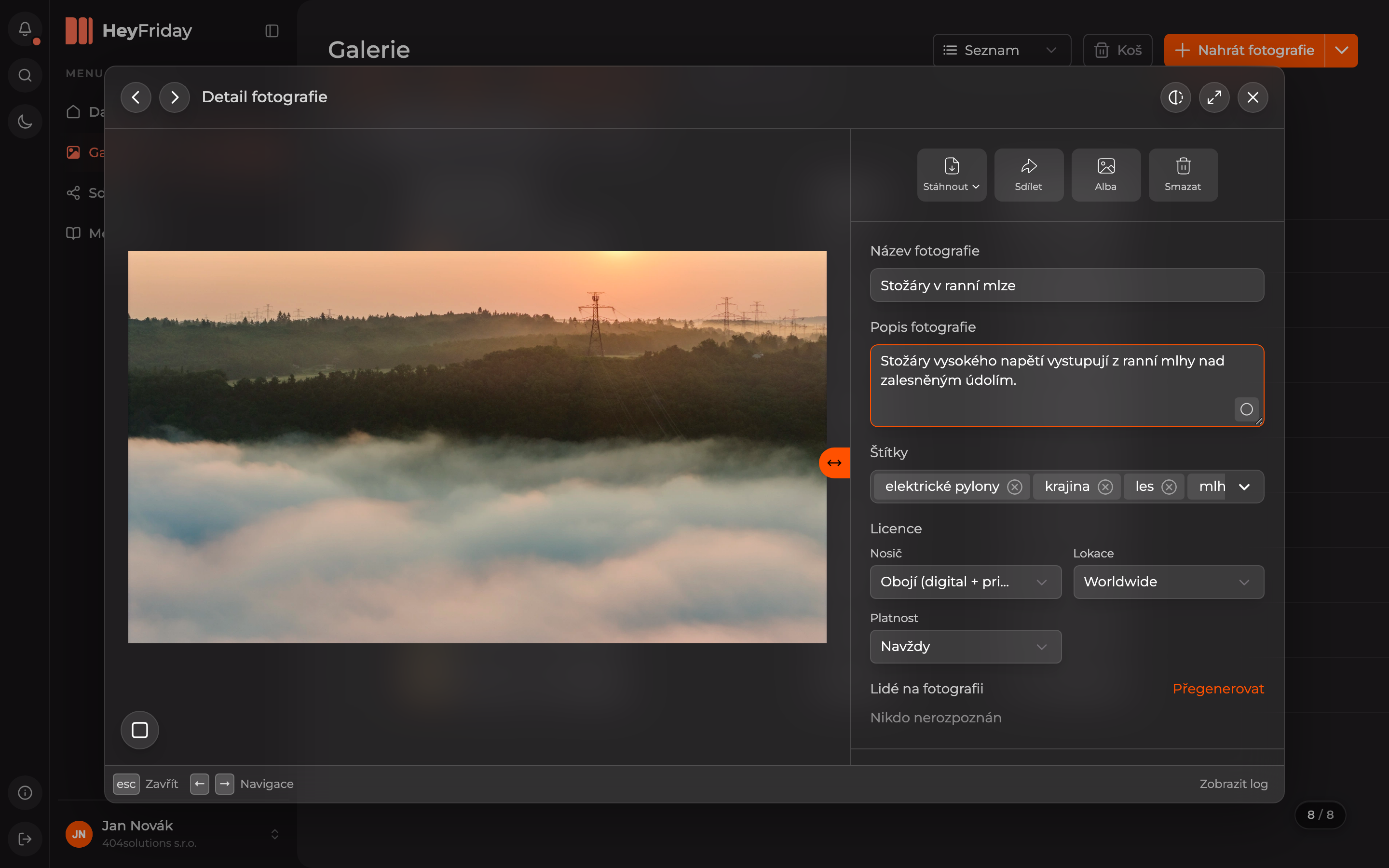
Edit the Tags
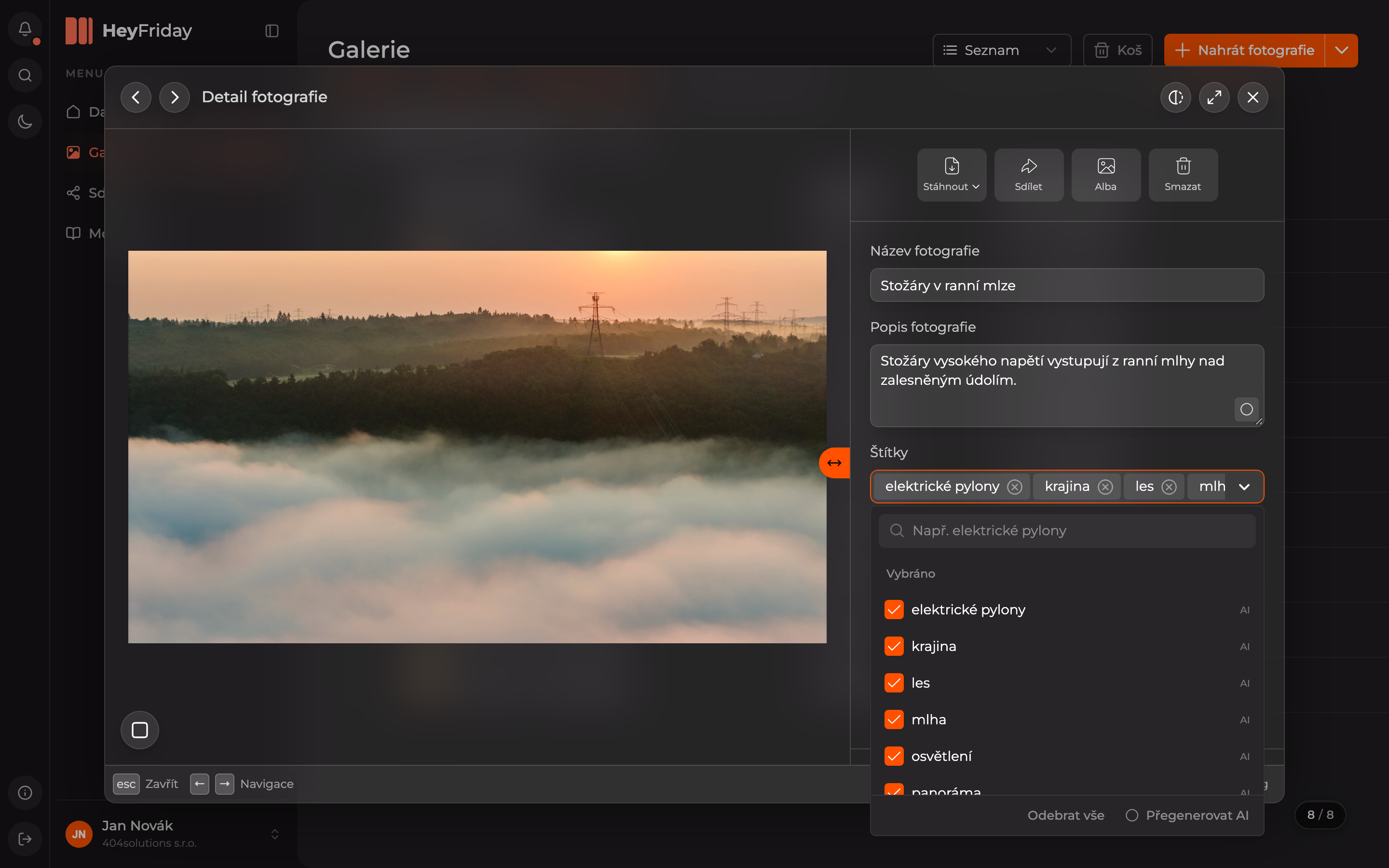
Click the arrow at the end of the Tags field. A list will open where you can:
- find a tag by typing in the search field and add it by checking it,
- remove a tag by unchecking it (or by clicking the cross on the tag in the field),
- Remove All removes all tags,
- Regenerate AI lets AI suggest tags again.
Tags suggested by AI are marked with AI in the list.
The edited data will immediately appear in the gallery and in search results.
Updated